
Screenshots
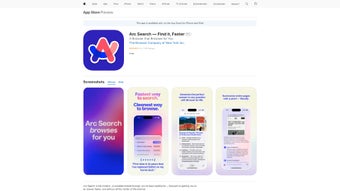
App details
- Updated
- July 2, 2025
- Requires
- Chrome
- License
- Full
- Developer
- apple
- Category
- Web Apps
SoftPas in:
This product is also available in the following languages:
About Arc Search
Download Arc Search – AI‑Powered Web Summarizer & Ad‑Blocker
Overview
In a world where information overload is the norm, finding a tool that can cut through the noise and deliver only the essential bits is a true game‑changer. Arc Search steps into that role as a forward‑thinking web application built around artificial intelligence, designed to streamline your browsing experience on iPhone, iPad, and iPod touch. By condensing full‑length web pages into concise, readable insights, Arc Search eliminates the endless scroll and helps you locate the exact piece of information you need in seconds. The app goes beyond simple summarization: its “BROWSE FOR ME” feature automatically navigates to relevant sections, while “PINCH TO SUMMARIZE” lets you generate a quick overview with a familiar gesture. Coupled with a robust ad‑ and pop‑up blocker, an integrated reader mode, and automatic archiving of inactive tabs, Arc Search creates a distraction‑free environment that keeps your cognitive load low and your productivity high. Privacy is another cornerstone—Arc Search employs end‑to‑end encryption, local data storage, and optional private browsing windows, ensuring that your search history and personal data stay under your control. Best of all, the app is completely free, syncs seamlessly across all your iOS devices, and receives regular updates that introduce new AI capabilities and security patches. Whether you’re a student digging through research papers, a professional hunting for quick market data, or just a curious internet surfer, Arc Search offers a sleek, secure, and efficient way to browse the modern web.
Key Features That Redefine Browsing
- AI‑Driven Summarization: Instantly generate a short, accurate summary of any article, product page, or forum thread with a simple pinch gesture.
- BROWSE FOR ME: Let the AI navigate to the most relevant part of a page based on your query, saving you time and clicks.
- Ad & Pop‑Up Blocking: Built‑in filters remove intrusive ads, trackers, and pop‑ups, delivering a clean reading surface.
- Reader Mode: Switch to a distraction‑free layout that strips away clutter while preserving images and essential formatting.
- Automatic Tab Archiving: Inactive tabs are saved in a lightweight archive, freeing up memory without losing context.
- Private Browsing Options: Open a secure session that never stores history, cookies, or cache on the device.
- Cross‑Device Sync: All your bookmarks, archived tabs, and preferences are synced via iCloud, ensuring continuity on every iOS device.
- Data Protection: End‑to‑end encryption protects your search queries and reading history from unauthorized access.
- Regular AI Updates: Continuous improvements to the summarization engine keep the tool accurate and fast.
- Free for All Users: No hidden fees, premium tiers, or subscription traps—Arc Search stays completely free.
Installation & How to Use Arc Search Effectively
Getting started with Arc Search is intentionally simple, reflecting the app’s philosophy of minimizing friction. Follow these steps to download, install, and master the core functionalities:
- Download from the App Store: Open the Apple App Store on your iPhone, iPad, or iPod touch, search for “Arc Search,” and tap the Get button. The download size is under 30 MB, and installation typically finishes within a minute on a fast Wi‑Fi connection.
- Launch & Initial Setup: Upon first launch, Arc Search will request permission to access Safari data for seamless integration and to use iCloud for syncing. Grant these permissions to unlock the full feature set.
- Enable AI Summaries: Navigate to Settings → Summarization. Here you can toggle the “Pinch to Summarize” gesture and adjust the summary length (short, medium, or detailed). The AI engine runs locally where possible, ensuring quick response times.
- Using BROWSE FOR ME: While on any webpage, tap the Arc Search toolbar icon and type a question or keyword. The AI scans the page, highlights the most relevant sections, and offers a one‑click “Go to Answer” button that scrolls directly to the information you need.
- Activating Reader Mode: Click the “Reader” icon in the toolbar to switch to a clean, ad‑free layout. This mode also automatically enables the summarization gesture, letting you pinch to get a quick overview without leaving the page.
- Managing Tabs & Archives: Open the “Archive” tab from the bottom navigation to view all automatically saved inactive tabs. From here you can restore, delete, or export any archived page as a PDF.
- Private Browsing Sessions: To browse without leaving a trace, select “New Private Window” from the main menu. This session disables history logging and uses temporary cookies that are cleared when you close the window.
- Sync Across Devices: Ensure iCloud Drive is enabled for Arc Search in your device Settings. Any changes you make—bookmarks, archives, or preferences—are instantly reflected on all logged‑in iOS devices.
- Keep Updated: Arc Search pushes frequent updates through the App Store. Enable automatic updates in Settings → App Store to receive the latest AI improvements and security patches without manual intervention.
- Support & Feedback: If you encounter issues or have feature suggestions, tap the “Help & Feedback” button in the settings menu. The development team replies within 24‑48 hours and often incorporates user feedback into upcoming releases.
By following these steps, you’ll be able to harness the full power of Arc Search—turning a chaotic internet into a concise, ad‑free knowledge hub that works across all your iOS devices.
Compatibility, System Requirements, and a Balanced Look at Pros & Cons
Arc Search is a native iOS application, optimized for iPhone, iPad, and iPod touch running iOS 14.0 or later. The app leverages Apple’s native WebKit engine, guaranteeing smooth performance and low battery consumption. While the core experience is tailored for iOS, the web version can be accessed through any modern browser on Windows, macOS, Android, or Linux, though some gesture‑based features (e.g., pinch to summarize) are exclusive to touch‑enabled devices.
Pros
- Free, with no hidden subscription fees.
- AI summarization dramatically reduces reading time.
- Integrated ad and pop‑up blocker improves focus.
- Automatic tab archiving saves memory and preserves context.
- Strong privacy controls, including end‑to‑end encryption.
- Seamless iCloud sync across all Apple devices.
- Regular updates keep the AI engine current.
- User‑friendly gestures make interaction intuitive.
- Reader mode provides a clean, distraction‑free layout.
- Responsive support team that values community feedback.
Cons
- Full feature set is limited to iOS; Android users must rely on the web version.
- Advanced AI summarization may occasionally miss nuanced details in highly technical articles.
- Requires iCloud for cross‑device sync, which some users may not want to enable.
- While ad‑blocking is robust, highly obfuscated scripts can occasionally slip through.
- Initial permission requests (Safari data, iCloud) may feel intrusive to privacy‑focused users.
Frequently Asked Questions (FAQ)
Is Arc Search really free, or are there hidden costs?
Arc Search is completely free. There are no subscription tiers, in‑app purchases, or hidden fees. The developers fund the project through optional donations and partnerships that do not affect core functionality.
Can I use Arc Search on a Windows PC?
The native app is only available for iOS devices, but you can access a web‑based version of Arc Search through any modern browser on Windows, macOS, or Linux. Some touch‑specific gestures will not be available, but core summarization and ad‑blocking work the same.
How does Arc Search protect my privacy?
Arc Search encrypts all search queries and reading history locally on your device before any data is sent to its servers. Private browsing sessions never store cookies or cache, and the app does not sell or share user data with third parties.
What should I do if the AI summary is inaccurate?
If you notice a summary that misses key points, you can tap the “Improve Summary” button to send feedback. The development team uses this data to fine‑tune the AI model, and future updates typically improve accuracy based on community input.
Does Arc Search work offline?
Basic browsing works offline, but AI‑driven summarization and ad‑blocking require an internet connection to fetch the latest filter lists and AI model updates. However, previously archived pages can be read and summarized without a live connection.
Conclusion & Call to Action
Arc Search delivers on its promise of a faster, cleaner, and more intelligent browsing experience. By harnessing AI to distill information, blocking distractions, and protecting privacy, the app addresses the core pain points of modern web users. Its free price tag and seamless iCloud sync make it especially appealing for anyone entrenched in the Apple ecosystem. While Android users must rely on the web version and the AI may need occasional fine‑tuning, the overall value proposition remains compelling. If you spend a significant amount of time reading articles, researching topics, or simply want a calmer internet environment, Arc Search is worth a download today. Click the button below to install Arc Search for free and start browsing smarter, not harder.
Guides & Tutorials
How to install Arc Search
- Click the Download button above.
- Once redirected, accept the terms and click Install.
- Wait for the Arc Search download to finish on your device.
How to use Arc Search
This software is primarily used for its core features described above. Open the app after installation to explore its capabilities.
User Reviews
No reviews yet. Be the first to share your experience.
You may also like
more
3D AI Studio
3D AI Studio Overview 3D AI Studio is a web-based AI-powered tool developed by S...

3D textures by Polycam
Generate Realistic 3D Textures Effortlessly 3D Textures by Polycam is an innovat...

3DAiLY
Customizable 3D Modeling Tool: 3DAiLY 3DAiLY is an online platform that harnesse...

3DFY
Revolutionizing 3D Model Creation: 3DFY Review 3DFY is an AI-powered service, de...

AI Dungeon
AI Dungeon: Deep Learning Text Adventure AI Dungeon is an artificial intelligenc...

Alpha3D
A subscription-based program for Web apps, by alpha3d. Alpha3D is a subscription...